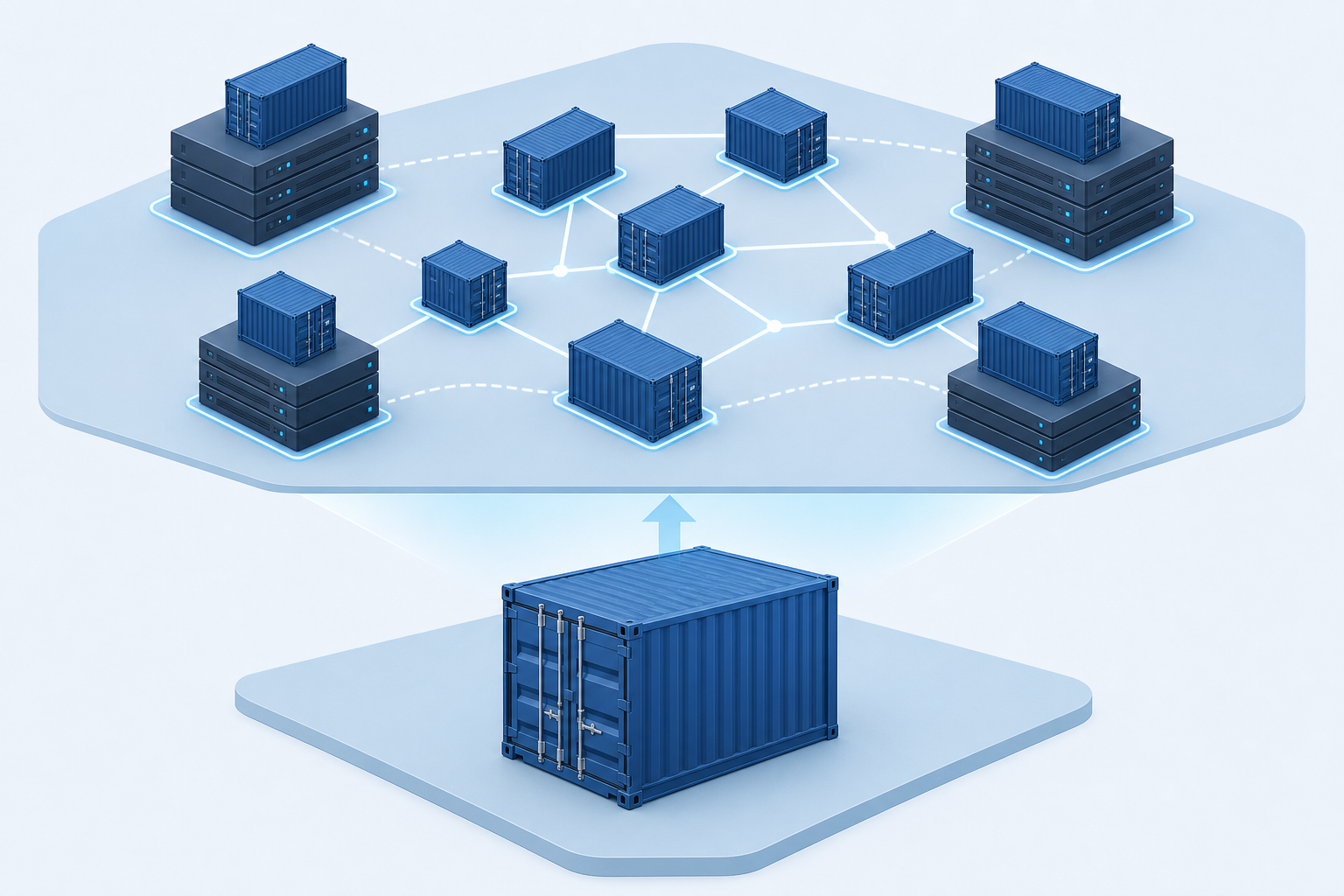
Docker builds the container. Kubernetes runs the fleet. Here is how to choose.

    Docker vs Kubernetes: Understanding the Difference and When to Use Each

    Docker builds the container. Kubernetes runs the fleet. Here is how to choose.

    A practical guide to what Docker and Kubernetes each solve, and which one your project actually needs.

    Get expert guidance on your container architecture

    Talk to a senior consultant about the right container strategy for your production environment.

    Two tools that solve two different problems

    Docker and Kubernetes are frequently mentioned together, but they operate at different levels of the stack. Docker is a containerization platform: it packages an application along with its code, dependencies, and libraries into a self-contained unit called a container. That container runs the same way regardless of where it is deployed, solving the long-standing "works on my machine" problem that plagued teams dealing with mismatched library versions and OS configurations. Kubernetes, also known as K8s, is an open source orchestration system that automates the deployment, scaling, and management of containerized applications across clusters of machines. It does not replace Docker; it builds on top of it. Understanding this distinction is the starting point for every architecture decision involving containers.

    What Docker actually does under the hood

    Docker uses OS-level virtualization, meaning containers share the host operating system's kernel rather than running a separate guest OS as traditional virtual machines do. This makes containers lightweight, fast to start, and highly portable. With Docker, a developer creates, starts, stops, and removes containers directly, or uses Docker Compose to define and run small multi-container applications with a single configuration file. For local development, automated testing, and single-server deployments, Docker is often all you need. The toolchain is approachable, the feedback loop is tight, and the overhead is low. Docker also provides basic orchestration through Docker Compose and Docker Swarm, which are sufficient for straightforward, lower-scale scenarios.

    Where Kubernetes takes over from Docker

    When an application needs to run across many servers, stay online continuously, and recover automatically from failures, Kubernetes handles the coordination that Docker alone cannot. Rather than managing containers directly, Kubernetes introduces higher-level abstractions: pods (which group one or more containers) and deployments (which maintain the desired state of those pods over time). It provides self-healing, load balancing, automated rollouts, and horizontal scaling based on demand. If a container crashes, Kubernetes restarts it. If traffic spikes, it scales up. If you need to push an update without downtime, it handles rolling deployments. These capabilities matter most in production environments running complex, high-availability workloads across distributed infrastructure, which is exactly where microservices architectures tend to land.

    They are complementary, not competing

    The most common production workflow combines both tools: developers use Docker to containerize applications during development, then Kubernetes to orchestrate those containers in production. Neither absolutely requires the other, but together they cover the full lifecycle from local build to scaled deployment. This is not a forced pairing. It reflects a natural division of responsibility: Docker handles the packaging problem, Kubernetes handles the coordination problem. Teams that try to use Kubernetes without Docker (or a compatible container runtime) still need something to build and run containers. Teams that try to scale with Docker alone hit the limits of what Compose and Swarm can manage. The combination is common because it works. Understanding software architecture principles helps clarify where each tool fits in the broader system design.

    Where Techfirst fits into this picture

    Techfirst works with both Docker and Kubernetes as part of end-to-end cloud and infrastructure engagements. The team's core stack includes Kubernetes orchestration, Azure container services, and CI/CD pipelines, which means consultants can help a client decide not just which tool to use, but how to build the surrounding infrastructure correctly. This is particularly relevant for organisations migrating from on-premises systems to Azure, or for teams modernising legacy applications into containerised microservices. Where Docker and Kubernetes are open source tools that a team must learn, configure, and operate, Techfirst provides the senior architects and developers who have already done this across multiple production environments. For businesses that need the outcome, not just the tooling, that distinction matters. See also choosing a cloud infrastructure partner for guidance on what to look for.

    Docker vs Kubernetes: which fits your situation

    The right choice depends on the scale, complexity, and availability requirements of your workload.

    Docker
    Best suited for developers and small teams packaging applications, running local environments, or deploying to a single server.Handles individual container lifecycle; Docker Compose covers simple multi-container setups.
    Kubernetes
    Best suited for teams running complex, high-availability production workloads across multiple servers that need automated scaling and self-healing.Abstracts container management into pods and deployments; handles scheduling, rollouts, and recovery at scale.
    Techfirst (Kubernetes + Azure)
    Best suited for organisations that need expert guidance designing, implementing, and operating a containerised production environment on Azure, without building that capability in-house from scratch.End-to-end delivery: architecture, CI/CD pipelines, Kubernetes orchestration, and ongoing cloud management.

    Use Docker alone for development workflows and small deployments. Move to Kubernetes when production scale, availability, or distributed infrastructure demands it. Choose Techfirst when you need senior architects to design and deliver that infrastructure correctly the first time, particularly on Azure.

    Docker solves the packaging problem. Kubernetes solves the coordination problem. Knowing which problem you actually have is the decision.

    How to decide which tool your project needs

    1. 1

      Assess your deployment scale

      Start by asking how many containers you need to run and on how many machines. If the answer is a handful of services on a single server, Docker with Docker Compose is almost certainly sufficient and far simpler to operate. If you are looking at dozens of services spread across multiple nodes, you are in Kubernetes territory. Scale is the single clearest signal.

    2. 2

      Evaluate your availability requirements

      Applications that must stay online continuously, recover automatically from failures, and handle variable traffic loads need the orchestration capabilities Kubernetes provides: self-healing, load balancing, and automated rollouts. Docker alone does not restart crashed containers or rebalance traffic across nodes. If downtime is acceptable and traffic is predictable, Docker's simplicity wins.

    3. 3

      Consider your team's operational capacity

      Kubernetes is powerful but operationally complex. Running it well requires understanding pods, deployments, ingress controllers, persistent volumes, and cluster networking. Teams without prior Kubernetes experience will face a real learning curve. Docker is far more approachable. If your team is small or new to containers, starting with Docker and graduating to Kubernetes as complexity grows is a sensible path. An IT consulting partner can accelerate that transition significantly.

    4. 4

      Map your workflow across environments

      Most mature teams use Docker for local development and testing, then Kubernetes for staging and production. This workflow lets developers work quickly with familiar tooling while production benefits from Kubernetes' orchestration. The two tools are not in competition in this model; they each own a stage of the lifecycle. Designing this pipeline correctly from the start avoids painful retrofitting later.

    5. 5

      Decide whether to build or engage expertise

      Both Docker and Kubernetes are open source tools with extensive documentation, but configuring them correctly for a production environment, especially on a cloud platform like Azure, involves decisions that compound over time. If your organisation lacks in-house container expertise, engaging Kubernetes orchestration specialists to architect the environment can prevent costly rework. Techfirst provides both system architects and developers, covering the full stack from container build pipelines to cluster management.

    Benefits

    Docker eliminates environment inconsistency

    By packaging code, dependencies, and libraries into a single container, Docker resolves the "works on my machine" problem that causes environment-specific bugs across development, testing, and production.

    Kubernetes automates production resilience

    Kubernetes provides self-healing, load balancing, and automated rollouts so that production applications recover from failures, handle traffic spikes, and receive updates without manual intervention or downtime.

    The two tools cover the full lifecycle

    Using Docker for development and Kubernetes for production means teams get fast, consistent local workflows and robust, scalable orchestration in production without compromise on either end.

    Kubernetes scales to thousands of containers

    Where Docker Compose suits small multi-container setups, Kubernetes handles complex scenarios involving large numbers of containers across many machines, with scheduling and coordination that Compose and Swarm cannot match.

    Architecture expertise reduces long-term rework

    Container infrastructure decisions made early, particularly around cluster design, networking, and CI/CD, compound over time. Getting the architecture right from the start with experienced consultants avoids costly restructuring as the system grows.

    Real situations where the choice becomes clear

    A development team standardising local environments

    A software team where each developer's machine runs a slightly different OS or library version spends significant time debugging environment-specific bugs. Docker solves this directly: by packaging the application and all its dependencies into a container, every developer runs an identical environment. Docker Compose handles the multi-service setup (application server, database, cache) with a single command. Kubernetes adds no value here and would introduce unnecessary complexity. This is Docker's home ground.

    A SaaS platform scaling to handle variable traffic

    A SaaS business whose application traffic fluctuates significantly across the day needs infrastructure that scales up during peak periods and back down when demand drops. Kubernetes handles this automatically through horizontal pod autoscaling, while also restarting any containers that crash and distributing traffic across healthy instances. Docker alone cannot coordinate this across multiple servers. Kubernetes, deployed on a managed cloud service like Azure Kubernetes Service, is the appropriate tool for this workload.

    A legacy system being broken into microservices

    An organisation modernising a monolithic application into microservices typically containerises each service with Docker, then uses Kubernetes to manage how those services communicate, scale, and recover in production. The migration itself is as much an architectural challenge as a tooling one. Techfirst's combination of system architects and Kubernetes expertise is relevant here: the decisions made during decomposition directly affect how well the resulting containers can be orchestrated.

    A business migrating on-premises infrastructure to Azure

    A company moving from on-premises servers to Azure cloud often encounters containerisation as part of the migration path. Azure Kubernetes Service (AKS) provides a managed Kubernetes environment that removes much of the cluster management overhead, but configuring it correctly for security, networking, and CI/CD integration still requires expertise. Techfirst's focus on Azure container services and cloud infrastructure architecture means it can take a client from initial Docker containerisation through to a fully operational AKS deployment, including CI/CD pipelines and ongoing cloud management.

    Docker vs Kubernetes: common questions answered

    Ready to design a container architecture that works in production

    Techfirst's senior consultants have hands-on experience with Kubernetes orchestration, Azure container services, and CI/CD pipelines across a range of production environments. Whether you are containerising an application for the first time or migrating a complex system to a managed Kubernetes cluster on Azure, the team can help you make the right architectural decisions from the start. Reach out to discuss your situation.